Need WooCommerce to restrict shipping of specific items to certain destinations?
WooCommerce Restrict Shipping lets you do that. It’s great for selling items than cannot be shipped to certain countries or states (or provinces), and you can restrict destinations by postal codes too.
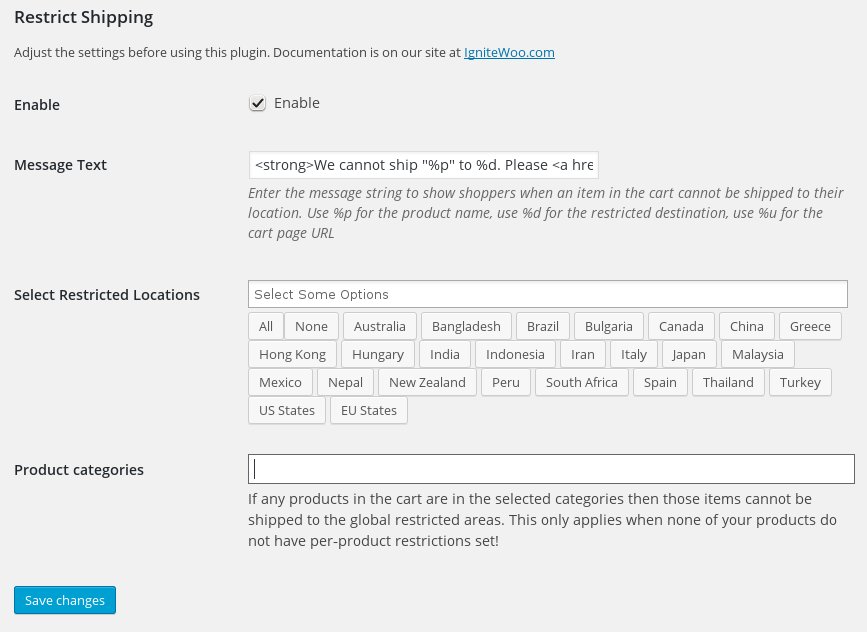
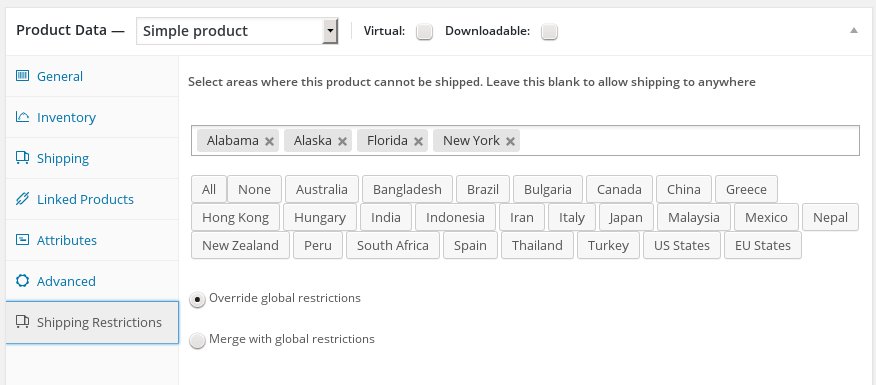
It’s easy to use. If you need to set the same restrictions for all products in your entire store you can do that in the main plugin settings. If you need to have specific restrictions for specific products then you can do that while editing a product: Simply edit a product, select which countries and/or states/provinces where the product cannot be shipped to, and you’re done.
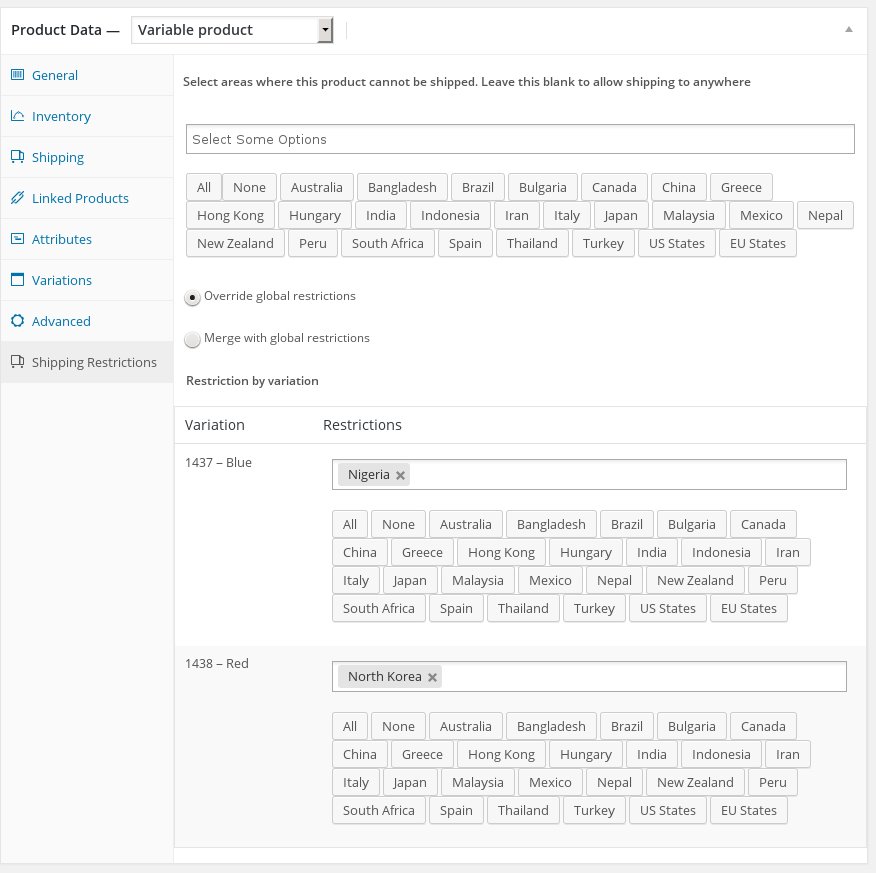
And, if you need to restrict individual variations of a variable product you can do that too.
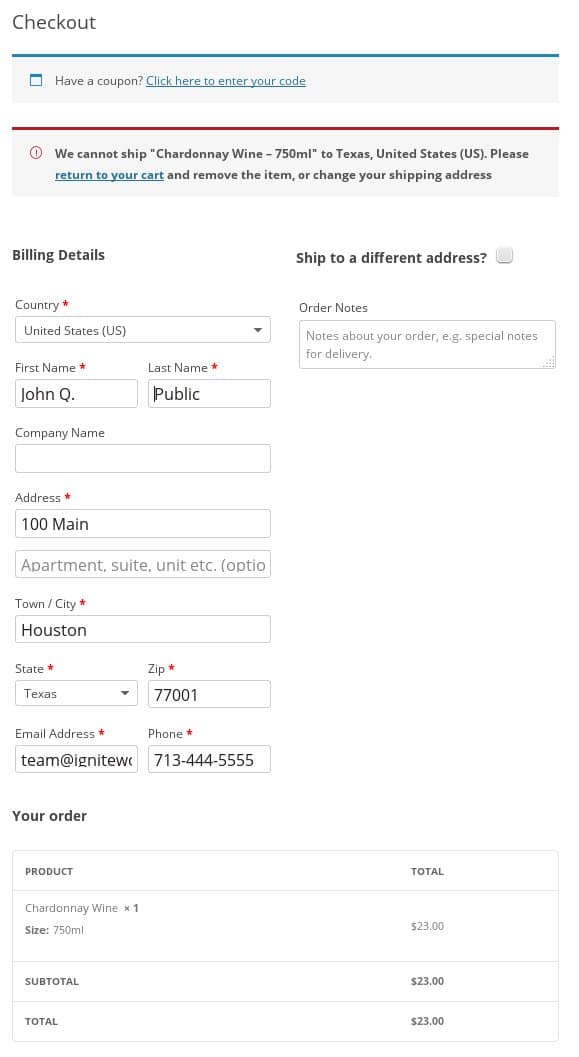
During the checkout process, if a shopper selects a shipping destination that matches your restrictions they’ll see a message (which you can customize) alerting them that the item cannot be shipped to their chosen destination. At that point the shopper will need to either remove the item from the cart or change their shipping destination before the checkout process can proceed.
You can set up your restrictions on a global basis in the plugin settings, then enable those restrictions on a per product basis for each product that needs to have restricted shipping destinations. And, you can also add more restrictions on a per product basis. When you that you can choose whether those restrictions should be merged with the global restrictions or used to override the global restrictions. This gives you a huge amount of flexibility.
This plugin recognizes all countries and states/provinces built into WooCommerce, which encompasses the entire world.
Plus it comes with our unbeatable support via email and phone.
See the Screenshots tab above to see what some sample settings might look like.
Compatibility: WooCommerce 3.0 and newer
Current version: 2.4.1