Looking for a WooCommerce Loyalty Rewards or Reward Points plugin?
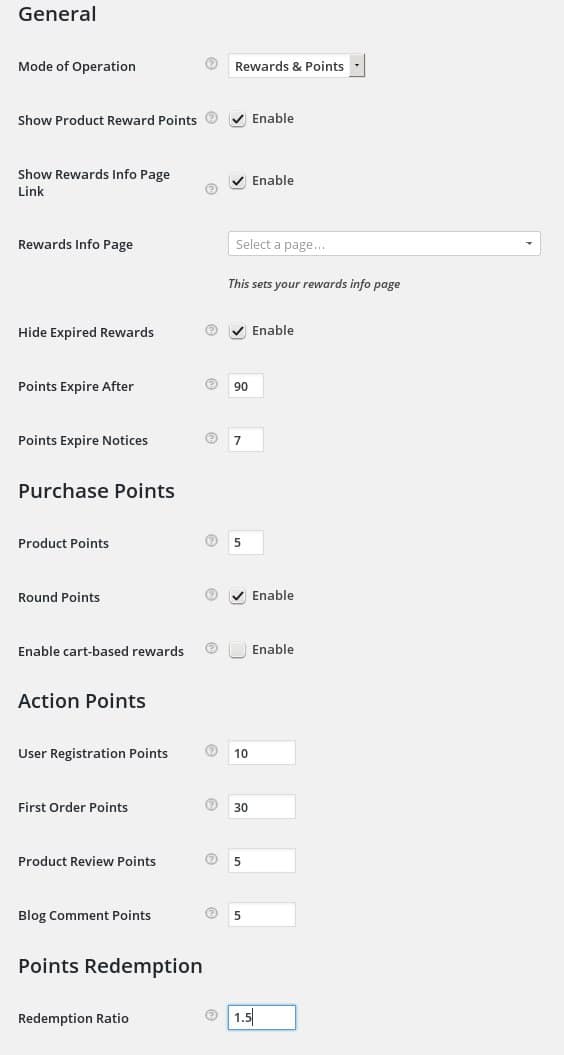
WooCommerce Loyalty Rewards allows you to add a loyalty program and rewards program to your WooCommerce site.
Customers earn points by purchasing products and can redeem those points like cash in your store, or redeem them for coupons and store credit.
WooCommerce Loyalty Rewards plugin can award your shoppers points that act like cash in your online store, or coupons good for purchases in your store – or both.
You have full control of the rewards & points program on your site with simple, easy to use settings. Configure it to work as “Points Only“, “Rewards Only“, or “Points and Rewards“.
Here’s a brief list of features:
- Award points based on the cart subtotal, or assign points per product
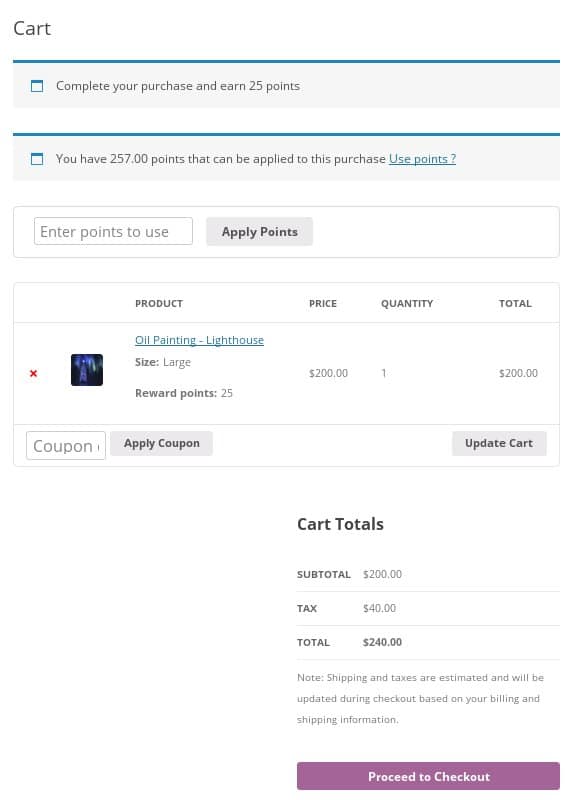
- When using per-product reward points shoppers see the points they’ll earn on the product page, cart page, checkout page, and in their order receipt
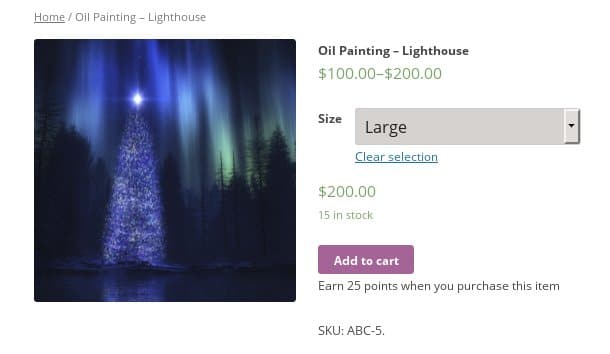
- Optionally display a message on the product page that tells shoppers how many points they can earn for buying the product.
- Award points when a user signs up for an account
- Award points for a customer placing their first order
- Award points for a customer placing each new order
- Award points for posting their first review of a given product
- Award points for posting their first comment to a given blog post
- Optionally set a points expiration date
- Optional send users a notice before their points expire, which helps increase sales
- Optionally rounding points to nearest whole number
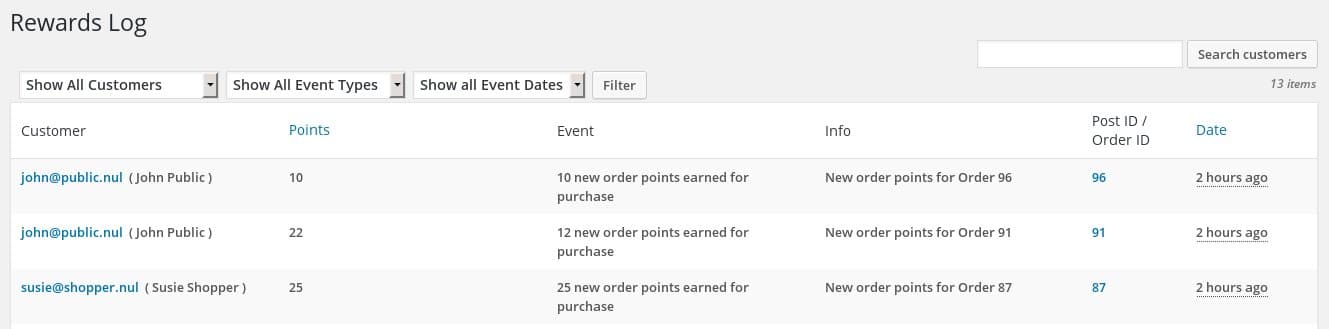
- Track points earned, added, removed, or redeemed with the built-in points logging tool
- Add or remove points for a user with the built-in points management tool
- Optionally rounding points to nearest whole number
- Optionally create a page to explain your rewards program and have it automatically linked on the My Accounts page.
- Otionally apply points to all of your pre-existing orders after you activate the plugin
- Fully customizable My Accounts add-on templates ( and related email templates ).
- Exclude specific users and roles from earning award points
When using Points mode:
- Optionally limit how many points can be redeemed per new order
- Control the value of a point. For example: 1 point = 10 cents
When using Rewards mode:
- Create as many reward tiers you want. Each one is tied to a specific number of reward points.
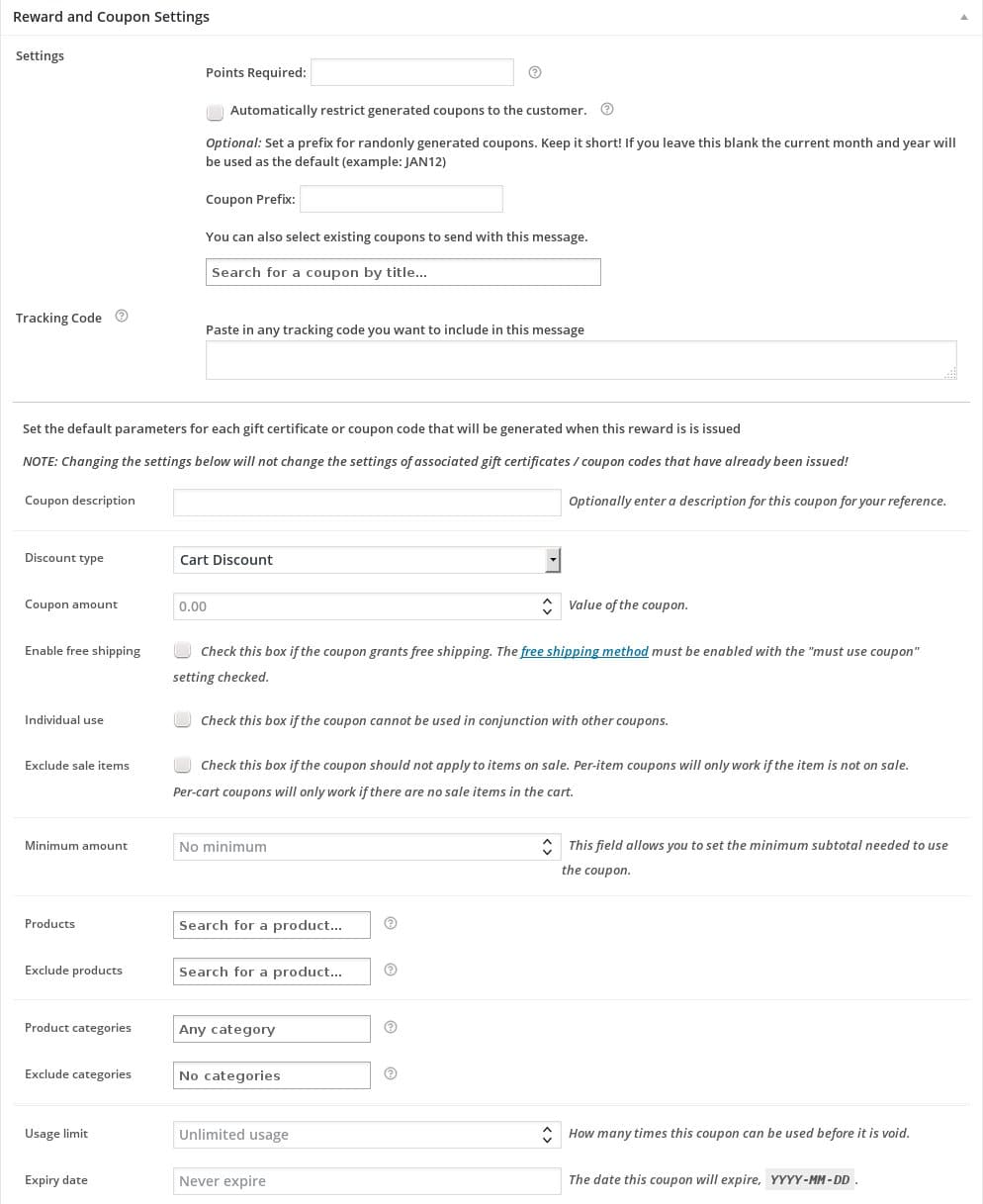
- Each reward includes a coupon code where you have full control over the coupon settings, including a coupon code prefix for easy reference.
- Coupon rewards can be for a percentage off a product or the entire cart, or a dollar amount off a product or the entire cart.
- Reward values are calculated in your store’s currency.
- Rewards can be set to generate new coupons and be set to use existing coupons.
- Optionally limit reward coupon use to the customer it was issued to, or optionally allow the reward coupon to be used by anyone that has the code.
- Optionally set expiration dates on reward coupons.
- Optionally limit reward coupons to specific products or product categories.
- Customers can view their points earnings and redeem their points for rewards using their My Account page. No administration required by you!
- Customer receive their reward coupon codes immediately after redeeming their points.
- Hide expired reward coupons on a customer’s My Account page
- Integrate our Gift Certificates Pro plugin so that your rewards can include gift certificates or store credits.
- Manage all your issued rewards coupons via the WooCommerce coupons interface.
- Track how many times points are redeemed to obtain each reward.
After you configure the settings the WooComerce Loyalty Reward Pro plugin runs itself – there’s almost zero administrative work for you.
Here’s what the cart page might look like, it has notices at the top of the screen. Those same notices would also appear on the checkout page.
When you set the software to assign points per product shoppers see a note on single product pages that lets them know how many points they earn for the product:
The log tool shows who earned points, when those points were earned, and why those points were earned:
You can easily manage user points with the points management tool:

Compatibility: WooCommerce 4.0 and newer
Current version: 4.2.4