

How To Create WooCommerce Product Fees & Cart Fees
When you want to add product fees or a cart fees to your store there easiest, fastest, more economical way to get that done is to buy our WooCommerce Product Fees & Cart Fees plugin. The powerful plugin gives you a lot of control over fees at the product level, product category level, and cart level. Works great for adding fees related to many situations including tariffs.
Here’s what it can do for you:
- Add fees for specific products.
- Add fees for all products in specific categories.
- Add fees per product line item in the cart, or per quantity of each product line item in the cart.
- Add cart fees based on the cart subtotal.
- Add all of your product fees as simple and easy to configure rules.
- Override your global fee rules by editing a specific product and adjust the product’s fee settings (works with simple and variable products including individual variations).
- Add a default fee that always applies or only applies when none of your rules match the cart contents.
- Add flat fees or percentage-based fees.
- Fees can be taxable or not, and choose which tax class applies, if any.
- Supports the new Fees API added into WooCommerce 3.2 and newer
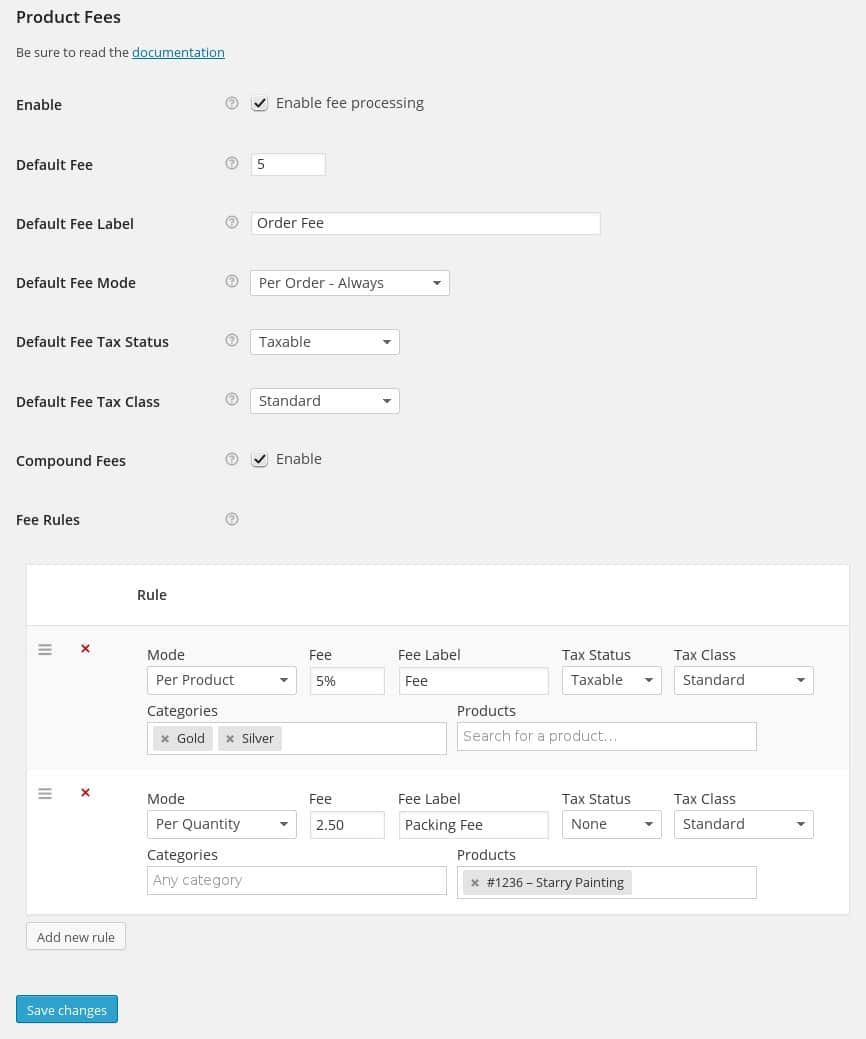
Here’s a quick look at the global plugin settings with two sample rules created:
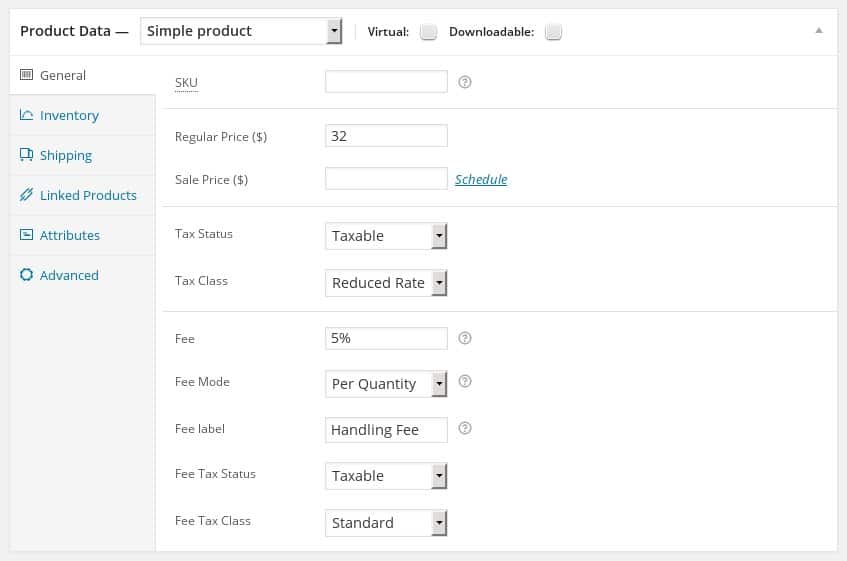
Here’s a look at the fee settings for an individual product. Notice the fee settings listed below the price and tax settings. Adjusting these settings is how you can override the global rules if you need to:
So there you have it!
Questions? Feel free to use the contact page to send us a message. Or call the number listed at the top of this page.
Compatibility: WooCommerce 4.0 and newer Current version: 2.6.1