

Need a clean way to allow your shoppers to ship to multiple addresses?
WooCommerce Ship to Multiple Addresses lets you do that easily, and your shoppers never need to leave the checkout page.
Your shoppers can put whatever they want to buy in the cart, then at checkout they can optionally choose to have various items sent to different shipping addresses. And they can even split the quantity of item across multiple addresses.
It’s easy to use and highly intuitive, your shoppers are gonna love it.
Watch the video overview to see how it works, or you can check out the screenshots below too.
Shoppers can opt to ship items in their order to multiple locations
Works with all shipping methods
Stores unlimited addresses for logged in customers and guest shoppers
Easy to set up and configure
Easy for shoppers to use
Shoppers never need to leave the checkout page to manage addresses and shipping
Automatically disable multi-address shipping for specific products, or all products under specific conditions
Automatically splits the cart into packages so the shopper can choose a shipping method for each destination
Shoppers can optionally add a shipping note for each address they’re shipping items to
Automatically stores shipping selections in the order and order email messages – available for review by admins and shoppers
Admins can optionally set a separate shipment status for each parcel destination in an order, and you can optionally enable a shipment status update email to be sent to shoppers.
Adds a shipping address book editor in the My Account page
Admins can manage a customer’s shipping address book when editing their account in the WordPress admin area
Automatically split your orders into separate orders, one per shipping address, with our Split Orders with Multiple Addresses addon to make creating shipping labels much easier!
Works with our Phone Orders & Manual Orders extension
Works with our PDF Invoices & Packing Slips Pro extension (iterates multi-shipment info in invoices, and generates individual packing slips per address in an order)
Have a look at some screenshots:
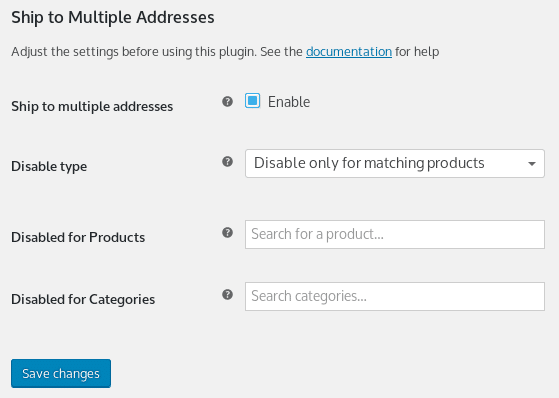
Here’s a quick look at the general settings:
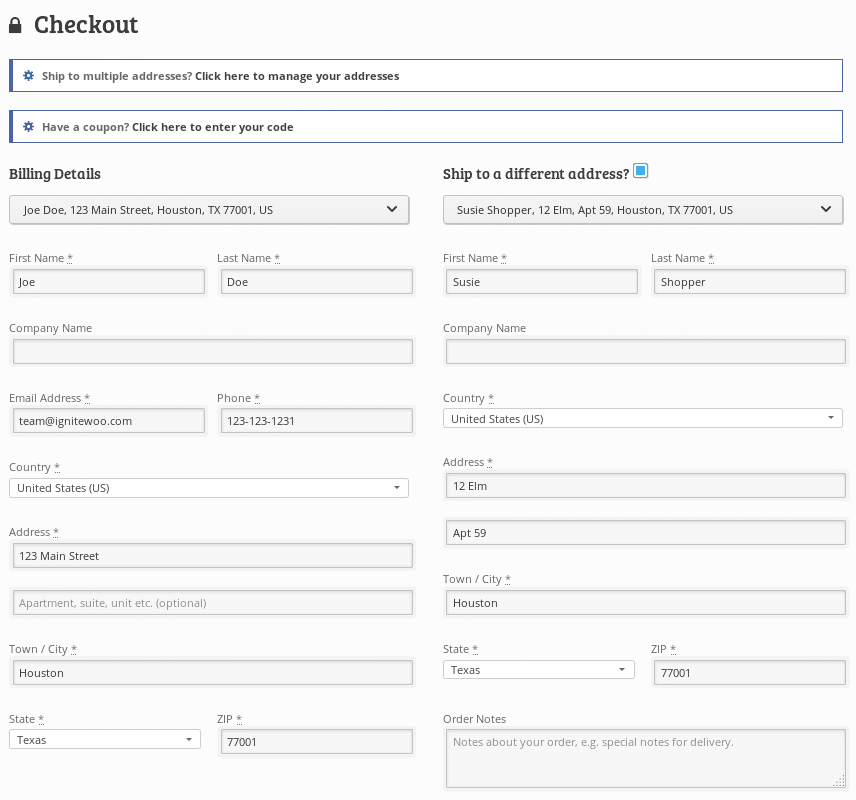
Here’s a typical checkout page showing the “Ship to multiple addresses?” prompt at the top and the address dropdown list selectors above the billing and shipping fields.
When the shopper clicks the link to ship to multiple addresses the address and destination management form appears in a lightbox, the shopper never needs to leave the checkout page. Here’s what the management form looks like:

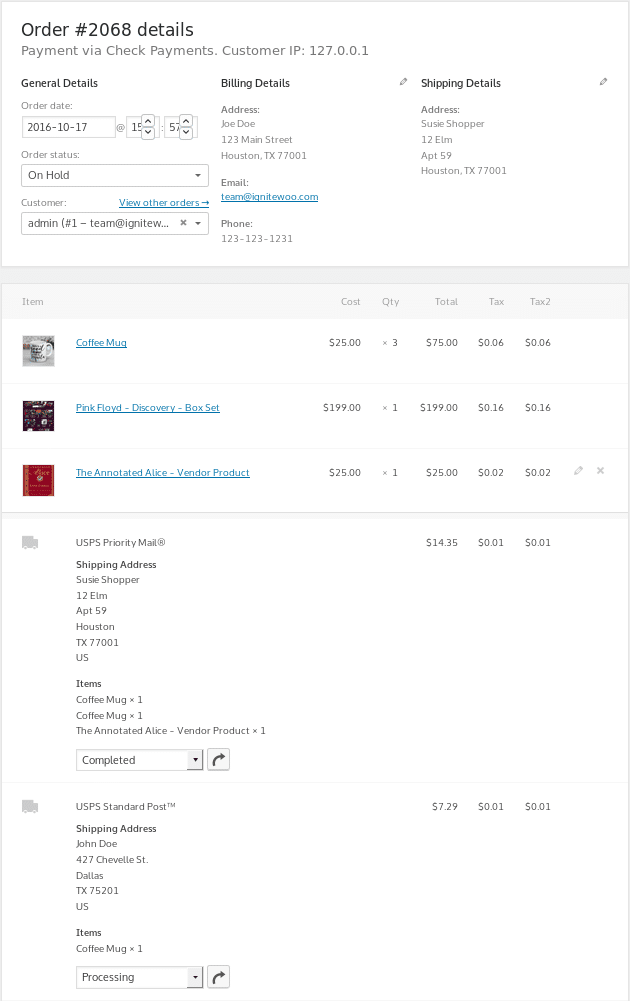
Have a look at admin view of order shipping details. It shows shipping method, destination, and items that should be sent to the destination.
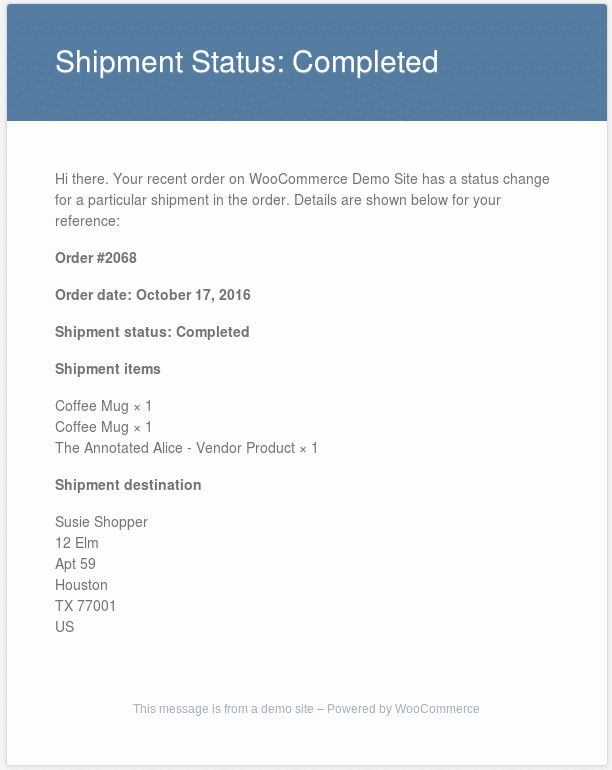
Here’s a sample shipment status update email sent to the shopper.
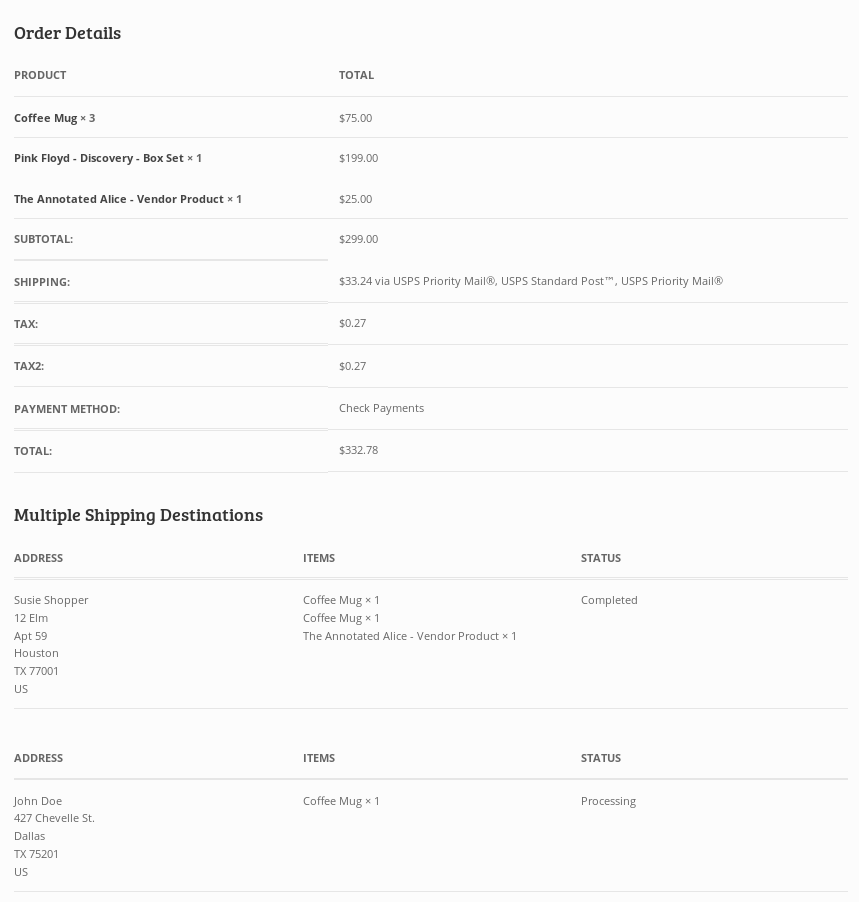
Shoppers can see the shipment status of their items when review the order in their My Account page area. Here’s a sample of what it may look like when the shopper views an order’s details.
So there ya go! We hope you like it.
Comes with great support via email and phone.
Questions?
Use send us a message, or call us – the phone number is listed on our contact page.
Compatibility: WooCommerce 5.0 and newer
Latest version: 2.5